Booking Extra Sessions
Buy Extra Nursery Hours (BENH)
If the Buy Extra Nursery Hours (BENH) products are already created, parents and carers can book additional sessions for children who have already been granted a place.
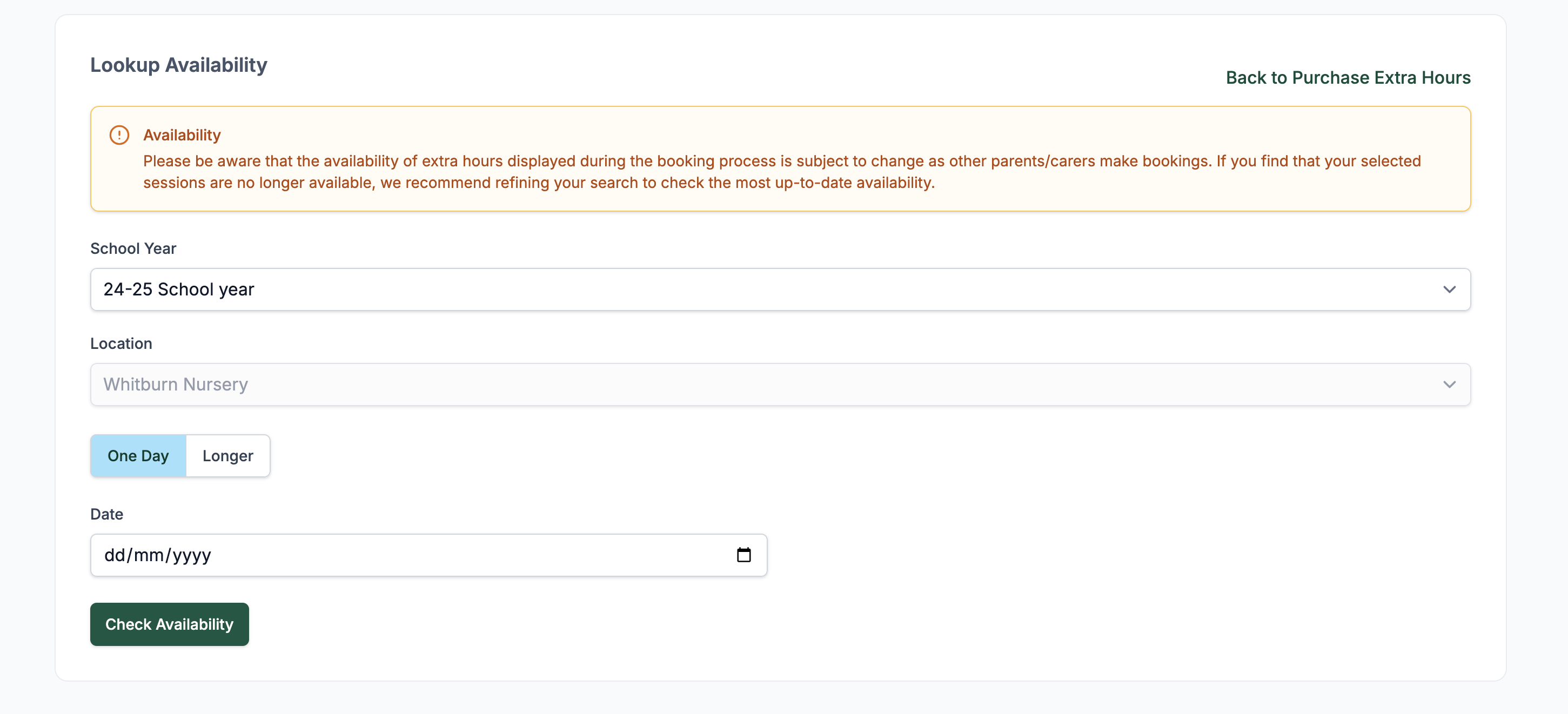
Availability
- Availability of extra sessions is managed by the local authority and can differ by location.
- During booking, a warning may display noting availability may change as others make bookings.
- To view availability:
- Select the School Year.
- Choose the Location.
- Pick One Day or Longer.
- Click Check Availability.
Using a Trustee
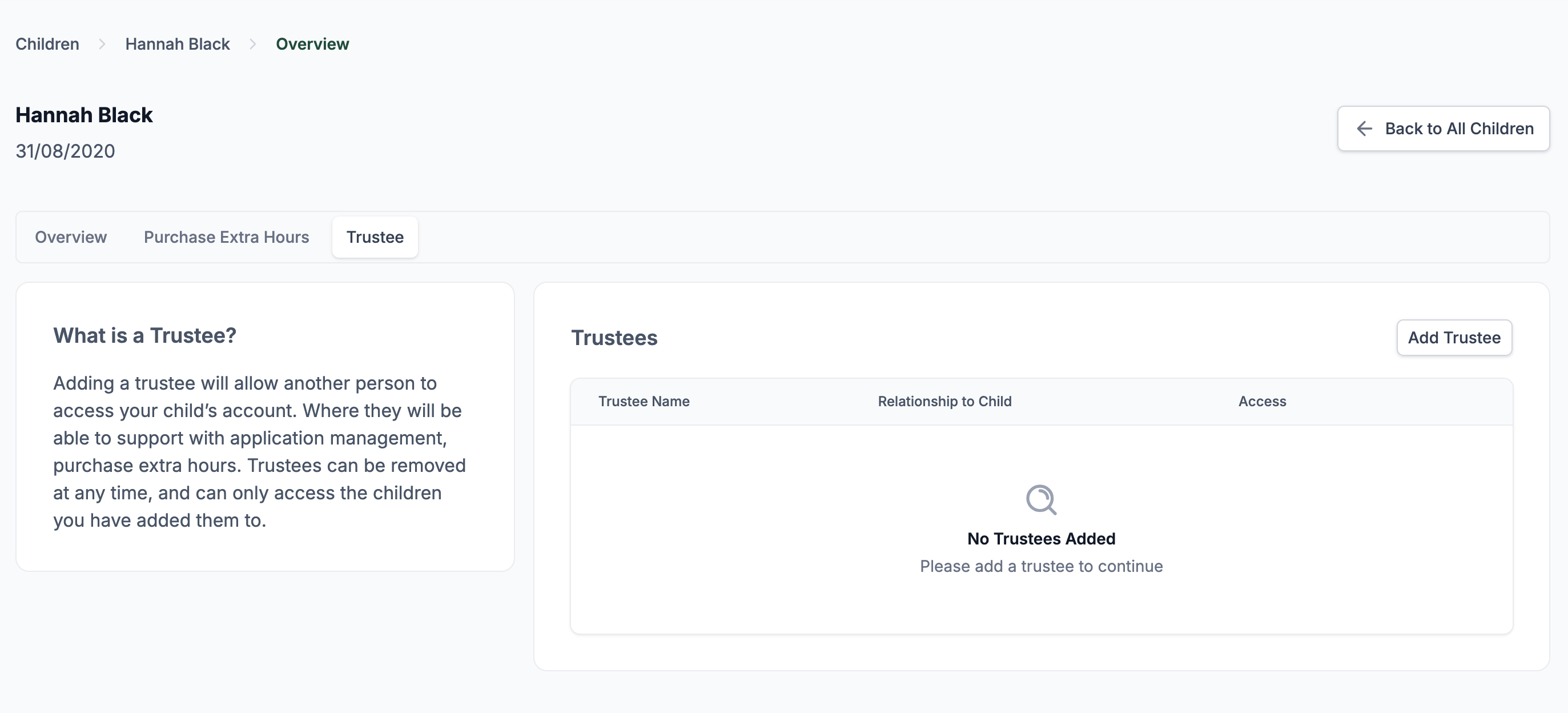
Parents and carers can nominate a Trustee to make bookings on their behalf.
- Navigate to the Trustee tab under the child's profile.
- Click Add Trustee.
- Enter the Trustee’s relationship and enable BENH access.
- Trustees receive an email invite and can only access children they are linked to.
💡 Note: Local authority staff can also act as Trustees to book hours for families.
Booking a Session
- Go to the Purchase Extra Hours tab.
- Click New Booking.
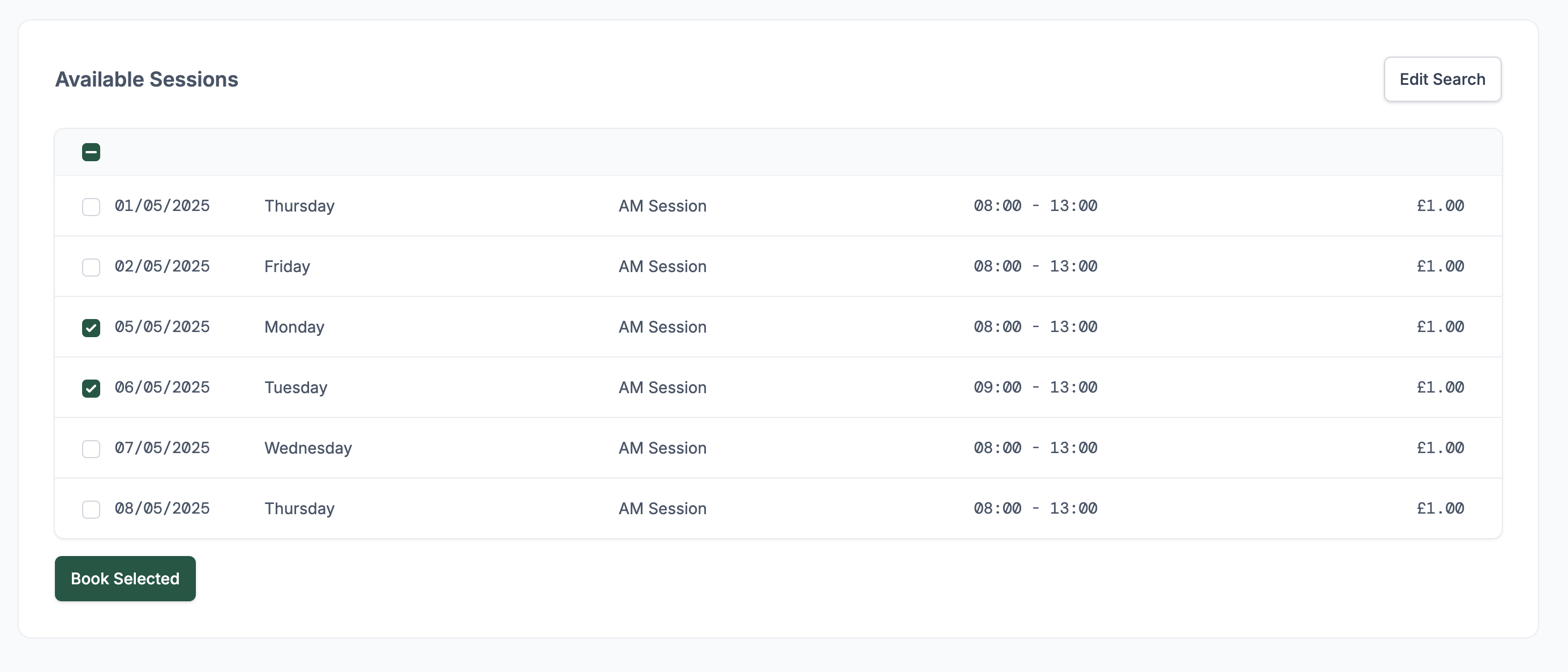
- Set your date range and click Check Availability.
- Tick the checkboxes next to the available sessions.
- Click Book Selected.
A confirmation box will appear:
- You must agree to the Terms & Conditions before proceeding.
- After confirmation, a success message will appear.
- A copy of the booking is also sent to the nursery.
Managing Bookings
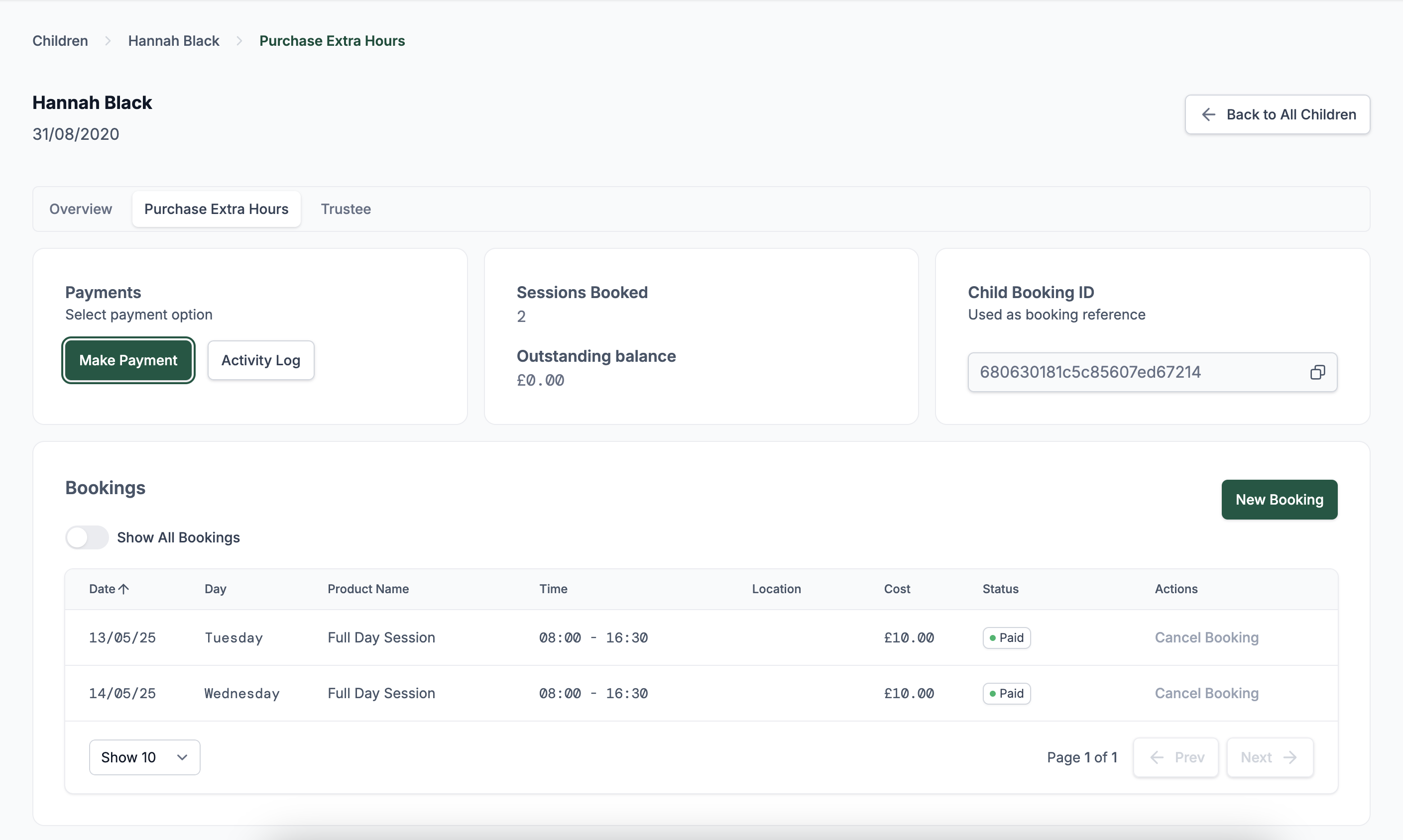
Your current bookings are listed in the Bookings section.
- Use the Cancel Booking link next to each item to manage sessions.
- Toggle Show All Bookings to include past sessions.
Payments and Cancellations
- Click Make Payment to pay for upcoming sessions.
- The summary tiles show Sessions Booked and Outstanding Balance.
- Payments must be made 1 week prior to each session.
- Sessions may be cancelled up to 4 weeks in advance.
- When booking multiple sessions, payments are applied to the earliest unpaid sessions first.
Accepted Payment Methods
There are several ways to pay for your booked sessions:
ePay (Capita)
- Select Make Payment and you’ll be redirected to the Capita ePay service.
- This is an external payment gateway.
⚠️ Please note: It can take up to 24 hours for the transaction to appear in your account.
Tax-Free Childcare
- You can also pay using Tax-Free Childcare.
- Please provide your Tax-Free Childcare reference number when making a payment.
- This allows staff to match the payment with your account.
⚠️ These payments are manually verified and may take a few days to reflect on your account balance.
Childcare Vouchers
- Childcare vouchers are accepted as a valid payment method.
- Please ensure you provide the name of the voucher scheme(s) you are using.
⚠️ Like Tax-Free Childcare, these payments are manually checked, so it may take several days for the balance to update.
Activity Log
All actions taken on the account — such as bookings, cancellations, payments, etc. — are recorded in the Activity Log.
- This can be accessed via the Activity Log button on the main booking screen.
- Both parents/carers and staff can view this log to see a complete history of actions related to bookings.