Buying Extra Nursery Hours (BENH) Set Up
Buying Extra Nursery Hours (BENH) is a feature available at the location level and is only enabled for council-run Early Learning and Childcare (ELC) locations. It allows administrators to manage and offer additional nursery hours to parents and carers.
Key Concepts
- BENH – Buy Extra Nursery Hours, the overarching feature that allows the purchase of additional childcare sessions.
- Products – Individual purchasable sessions (e.g., AM, PM, Full Day).
- Session Types – Types of attendance (e.g., AM, PM, FD).
- Resources – Used to manage capacity for additional sessions independently from regular attendance.
Enabling BENH
You can enable or disable BENH for a specific school year via the ELC location settings.
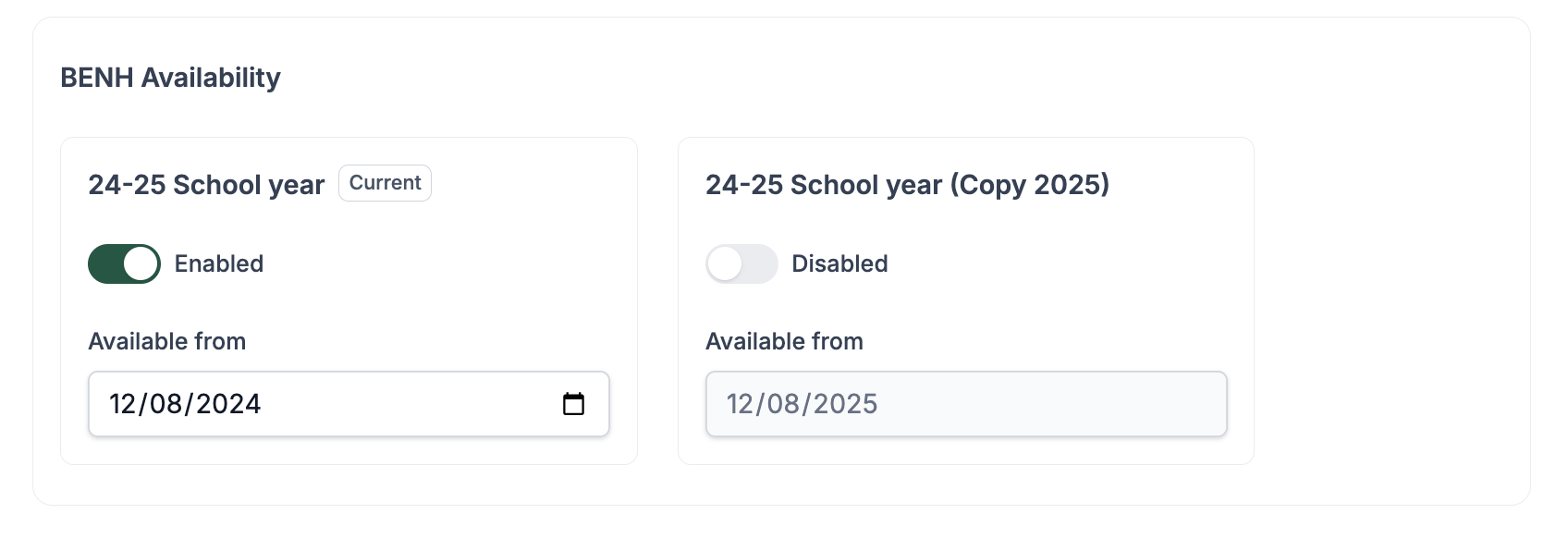
- Toggle BENH availability per school year.
- Set a start date for when BENH products become available to parents, giving you full control over rollout timing.
Managing Extra Hours at a Location
Navigate to:
This area provides three main tabs: Calendar, Products, and Availability.
1. Calendar View
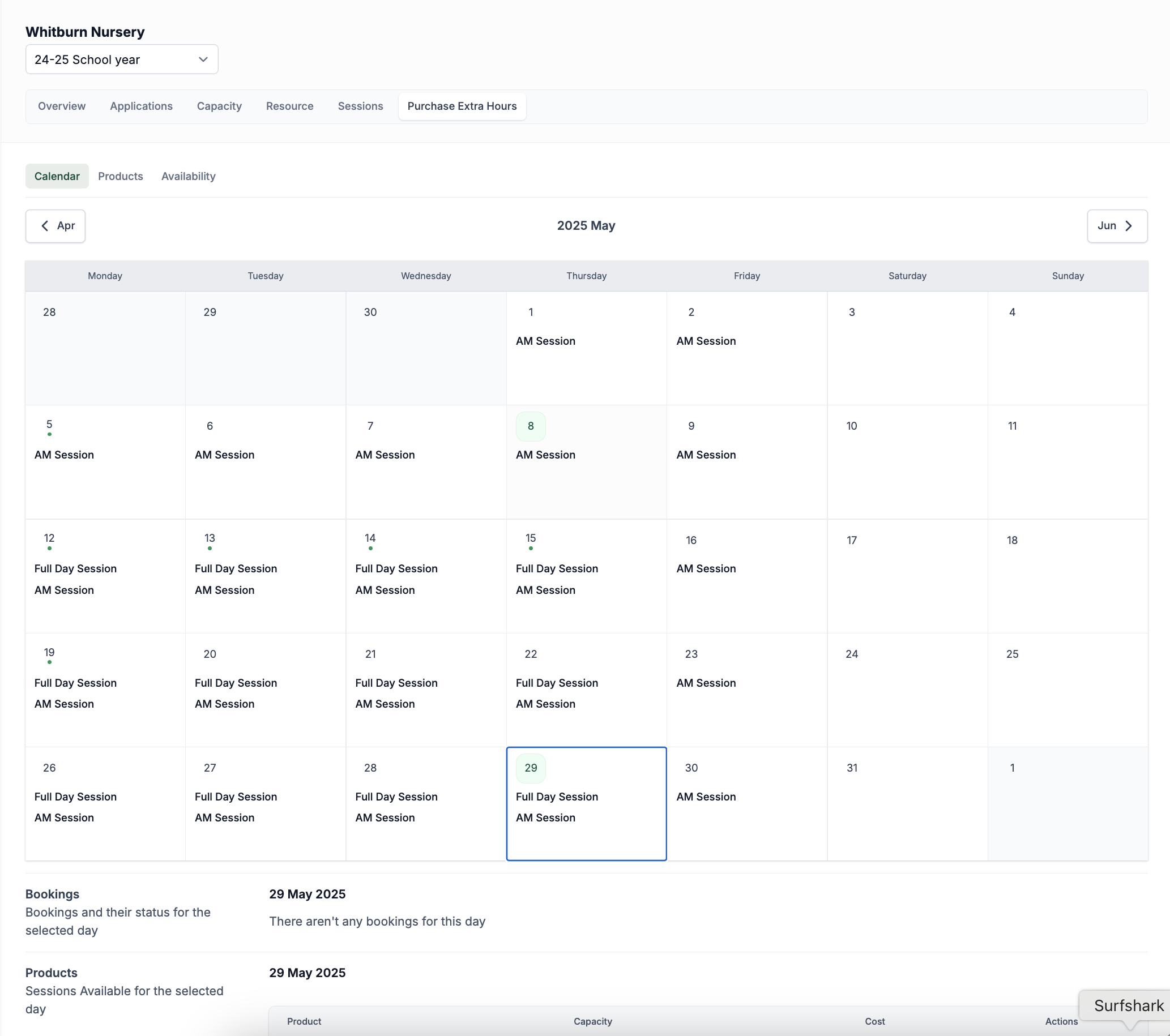
- Displays all available and booked products by date.
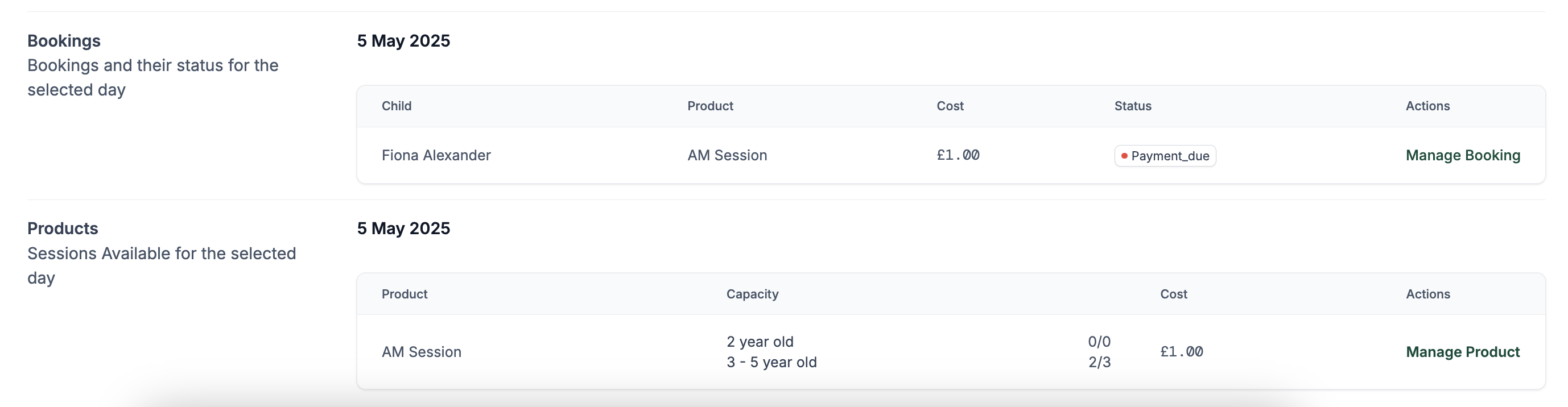
- Click a date to view:
- Products available for that day.
- Existing bookings (including payment status).
- Capacity per session type and age group.
2. Products Tab
Create and manage purchasable extra sessions.
Create from Session
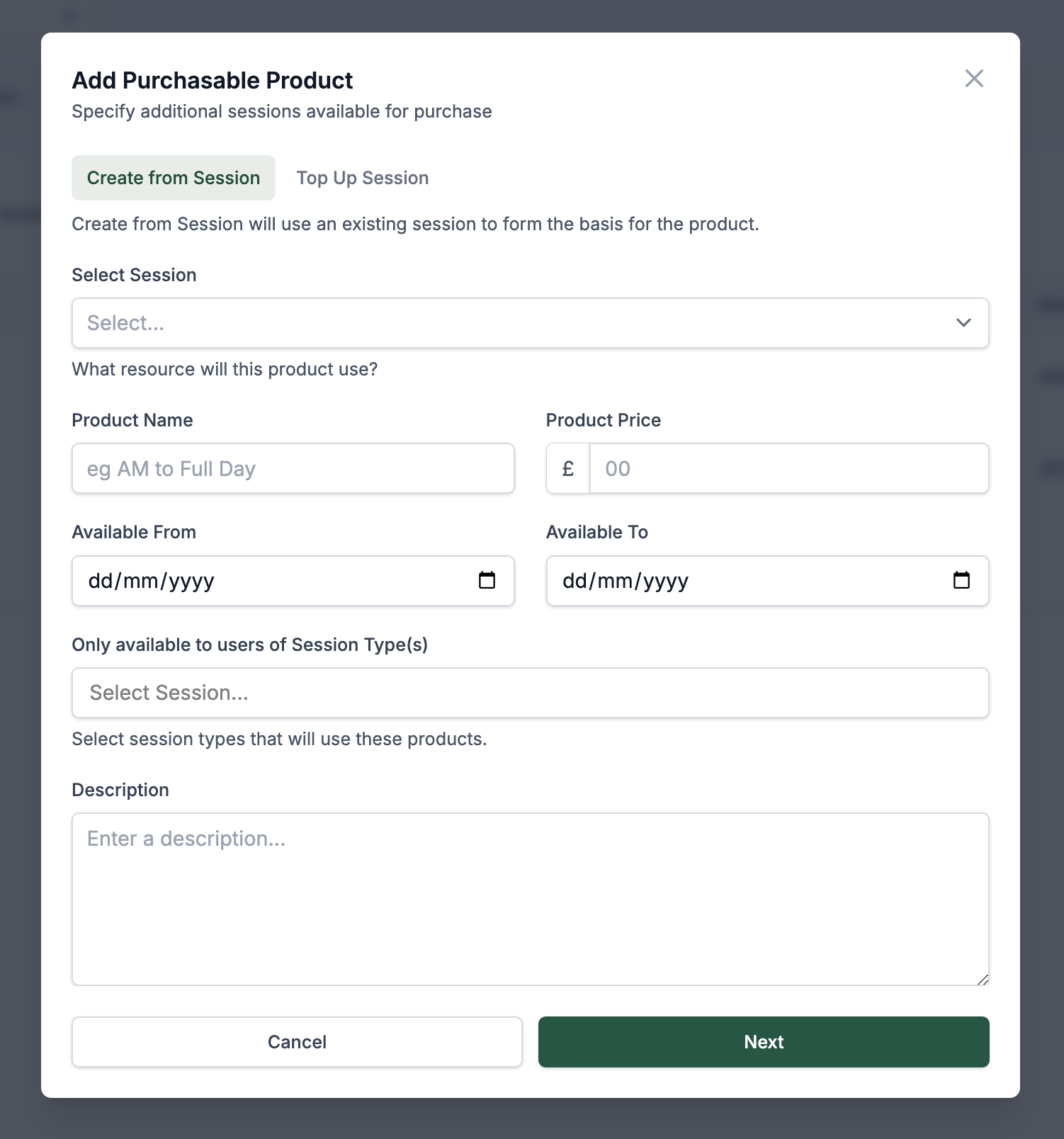
- Use an existing session as the base.
- Set:
- Session
- Product name
- Price
- Available date range
- Eligible session types
Useful when you want to offer an extra session to specific groups (e.g., exclude AM for children already attending AM).
Once a product is created, you can schedule price changes to take effect during the year (e.g., mid-year rate increases).
Create Top-Up Session
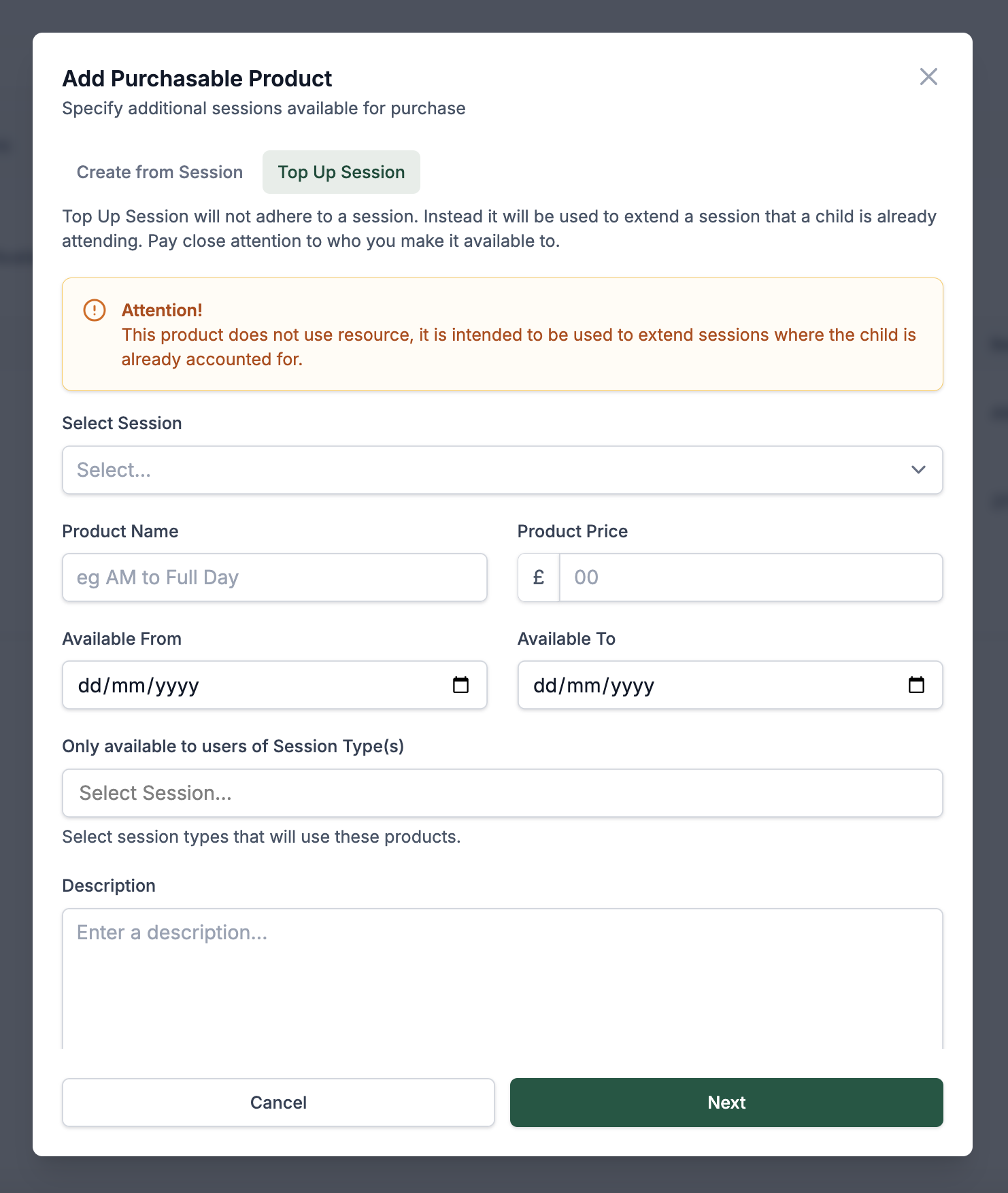
- Extends a child’s existing session without assigning additional resources.
- Commonly used for converting short sessions (SS) into full AM or PM sessions.
3. Availability Tab
BENH capacity is independent of session attendance, providing flexibility in managing additional hours.
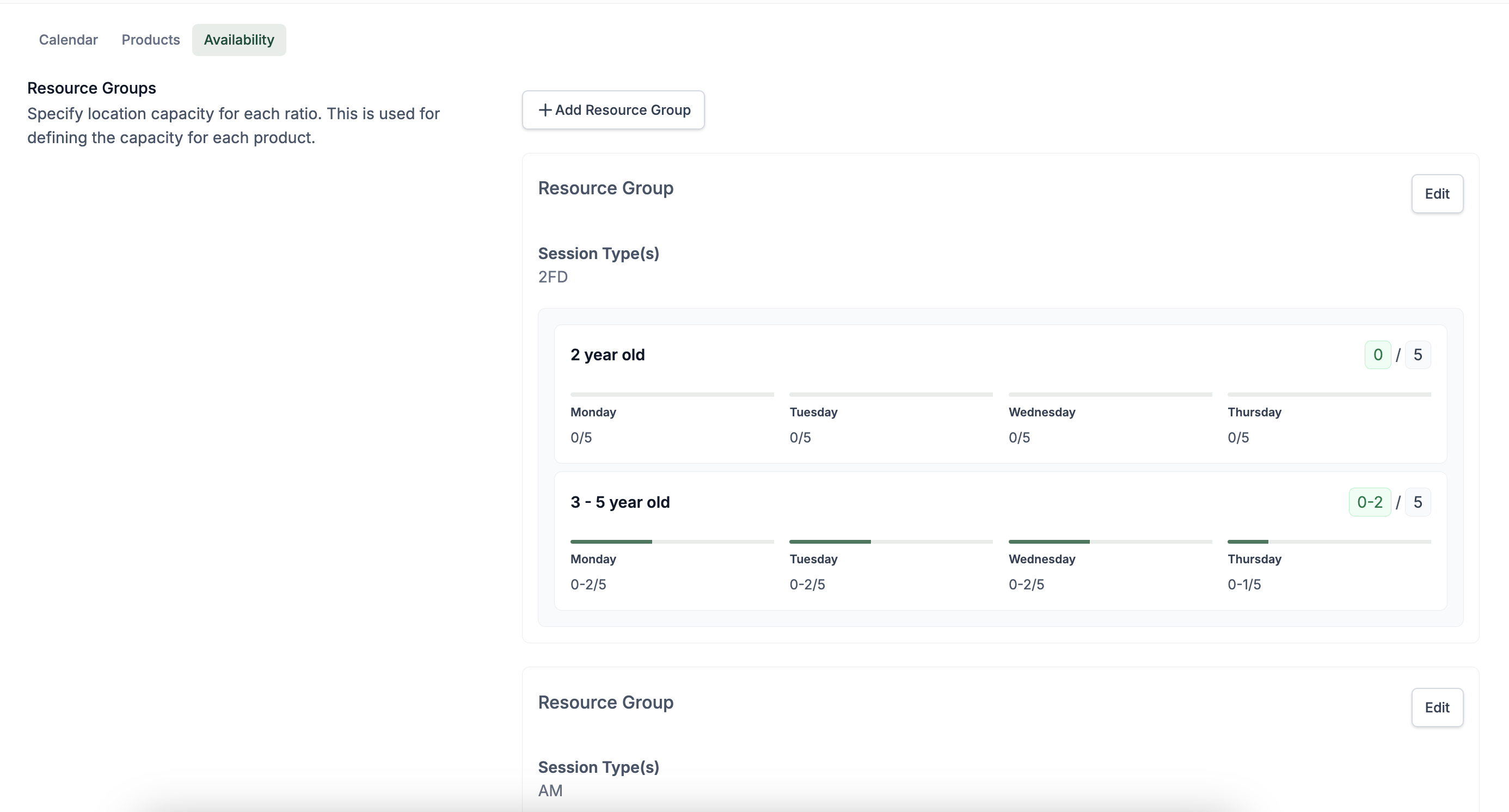
- Set the resource-based capacity for products.
- Defined by session type and age group (e.g., 2-year-olds, 3–5-year-olds).
- Ensures product availability aligns with staffing and space.
Booking Behaviour & Discounts
- Products can be booked directly by parents/carers.
- Statuses include paid and unpaid, both of which are visible in the calendar view.
Automatic FD Discount:
When AM and PM sessions are selected on the same day, the system automatically converts them into a Full Day (FD) session and applies the lower FD price if it's more economical for the parent/carer.