Staff Dashboard Authentication
All staff users on the Admit platform must authenticate using email and password credentials combined with two-factor authentication (2FA).
Password Requirements
Passwords must meet the following security standards:
- Minimum of 12 characters
- At least 1 number
- At least 1 special character
- At least 1 uppercase letter
- At least 1 lowercase letter
Two-Factor Authentication (2FA)
After setting their password, users must set up one of the following 2FA options:
- SMS Authentication: A one-time passcode is sent via SMS.
- Authenticator App: Use an authenticator app (e.g., Google Authenticator) to generate time-based codes.
User Management
Overview
Staff users cannot self-register on the platform. All accounts must be created via invitation by an administrator.
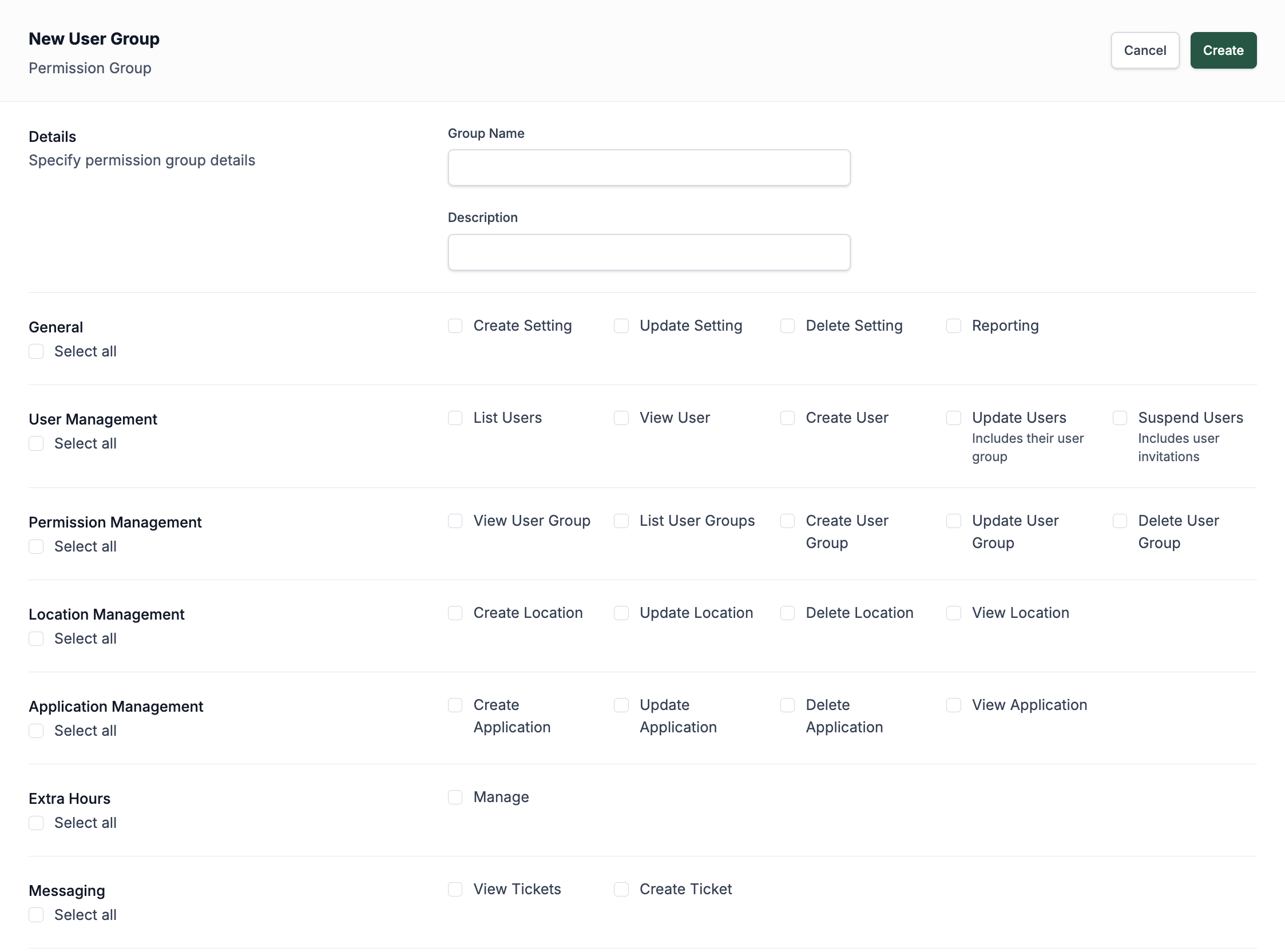
Before sending an invitation, you must create a user group that specifies the access rights and permissions suitable for the staff member’s responsibilities. To create or edit a user group, go to the Platform Users section in the sidebar and click on User Groups.
User Groups
Creating a User Group
- Create a user group before inviting a user.
- User groups define the access levels and functionality available to users assigned to them.
Managing Permissions
- Permissions are granular and can be customised to meet specific role requirements.
- Permissions can be updated at any time if responsibilities change.
- Staff can be limited to access only a single location when required.
Inviting Users
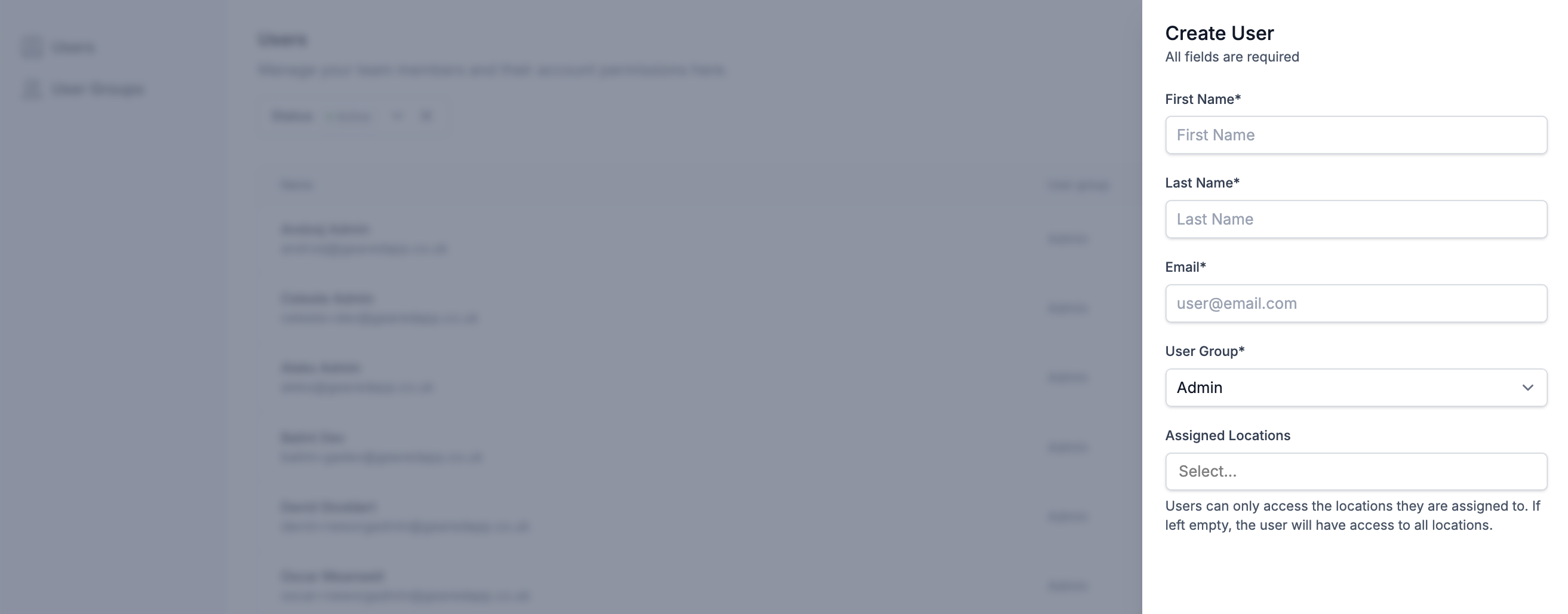
- Users are invited via an automated email.
- During invitation:
- Assign the user to an existing user group.
- Restrict location access if necessary.
- Only add permissions that are necessary to perform normal duties.
Managing Users
Editing User Information
- Admins can edit user details such as name, email, and group assignments after the account has been created.
Suspending Users
- Users can be suspended to immediately revoke their platform access.
- Suspension is reversible; accounts are not deleted permanently.
Deleting Users
Deleting a user will immediately revoke their access to the platform. This action is permanent and cannot be undone.
Some user-related information may be retained on the platform for auditing and accountability purposes, such as records of actions or decisions made while the user had access.